admin
admin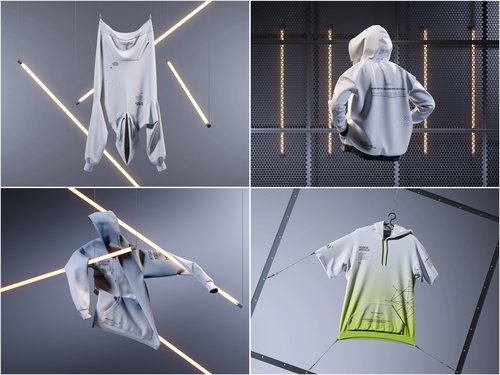
Printing a hoodie design without a final check is a bit like mailing a letter before reading it twice. The stitching, the shadows, the fabric folds — all of it either sells your idea or quietly sabotages it. Before any file goes to a printer, a careful pass through a Hoodie mockup can catch the small mistakes that turn into expensive reprints.
Why the Pre-Print Check Actually Matters
Print production doesn’t forgive guesswork. Once a batch is printed, colors can’t be nudged and placement can’t be shifted. A mockup is the last honest mirror your design gets before it becomes physical fabric, so treating that stage lightly usually costs more time than it saves.
There’s also a practical reason mockups matter: a stakeholder looking at flat vector art has to imagine the final product, while one looking at a realistic mockup reacts to something that already feels finished.
The Core Checklist
Before hitting “send to print,” run through these points on your mockup:
- Color accuracy: compare your file’s Pantone or CMYK values against how they render on the mockup fabric, since screens exaggerate saturation.
- Placement and scale: check that logos or graphics sit where garment templates expect them, especially around the chest and sleeve seams.
- Resolution: zoom into the mockup at 200% to confirm the artwork doesn’t pixelate or blur.
- Fabric texture interaction: some prints look flat on smooth fabric but distorted on ribbed or fleece textures.
- Shadow and lighting realism: uneven lighting on a mockup can hide print flaws or, worse, invent ones that aren’t really there.
Skipping even two or three of these steps is how brands end up reprinting entire runs.
Where Small Details Turn Into Big Costs
A one-pixel shift in placement seems trivial until fifty hoodies come back with logos sitting slightly off-center. Print vendors rarely absorb reprint costs, so verifying scale and alignment early is cheaper than fixing it after delivery. The same logic applies to color drift: a hoodie that looks navy on screen but prints as charcoal can derail an entire product photo shoot.
Reprints also cost more than money — they cost momentum. A launch slips, a marketing calendar shifts, and trust wobbles a little every time a “final” file isn’t final. Catching issues at the mockup stage keeps the timeline intact.
The Second Half of the Checklist
The first five points catch most visual mistakes; the remaining five guard against technical issues that surface later in production:
- Print method compatibility: DTG, screen print, and embroidery each behave differently, so verify the mockup reflects the actual technique.
- Seam and pocket overlap: designs that cross a kangaroo pocket or hood seam often need adjusting.
- Background consistency: a cluttered background can mislead clients about the true garment color.
- File format and layering: confirm your PSD or template layers haven’t shifted during export.
- Client-facing presentation: a clean, well-lit mockup builds trust before a single unit is printed.
With all ten points checked, a design is ready to leave the screen and become fabric.
Real-World Use Cases
Independent apparel brands and small studios rely on mockups constantly, and the practice shows up in recognizable ways:
- Print-on-demand sellers on platforms like Printful or Redbubble use mockups to preview how a design will sit on different hoodie colors before customers ever order, avoiding wasted print runs on unpopular combinations.
- Streetwear startups often build entire Instagram or Kickstarter campaigns around mockup images months before physical inventory exists, testing audience reaction to colorways first.
- Merch teams for musicians and podcasters frequently send mockups to sponsors or artists for approval, since shipping physical samples for every revision would be slow and costly.
- Design agencies use tools such as ls.graphics to produce consistent, studio-quality previews for client pitches, keeping the visual language uniform across a whole product line.
These aren’t hypothetical workflows — they’re standard practice across small e-commerce shops and larger apparel studios alike, precisely because catching an error digitally is faster than catching it after a print run ships.
Building a Habit, Not Just a Checklist
The ten points above work best as routine rather than a one-time scramble before deadlines. Teams that build mockup review into their workflow catch errors earlier and spend less time negotiating reprints with vendors. A five-minute check today is cheaper than a five-day delay next week.
A Final Word Before You Hit Print
Mockups aren’t just a marketing nicety — they’re a quiet insurance policy against costly mistakes. Run through the checklist, trust the small details, and let the mockup catch what the eye might otherwise miss. The hoodie that reaches your customer should look exactly like the one you approved on screen.